
Writers

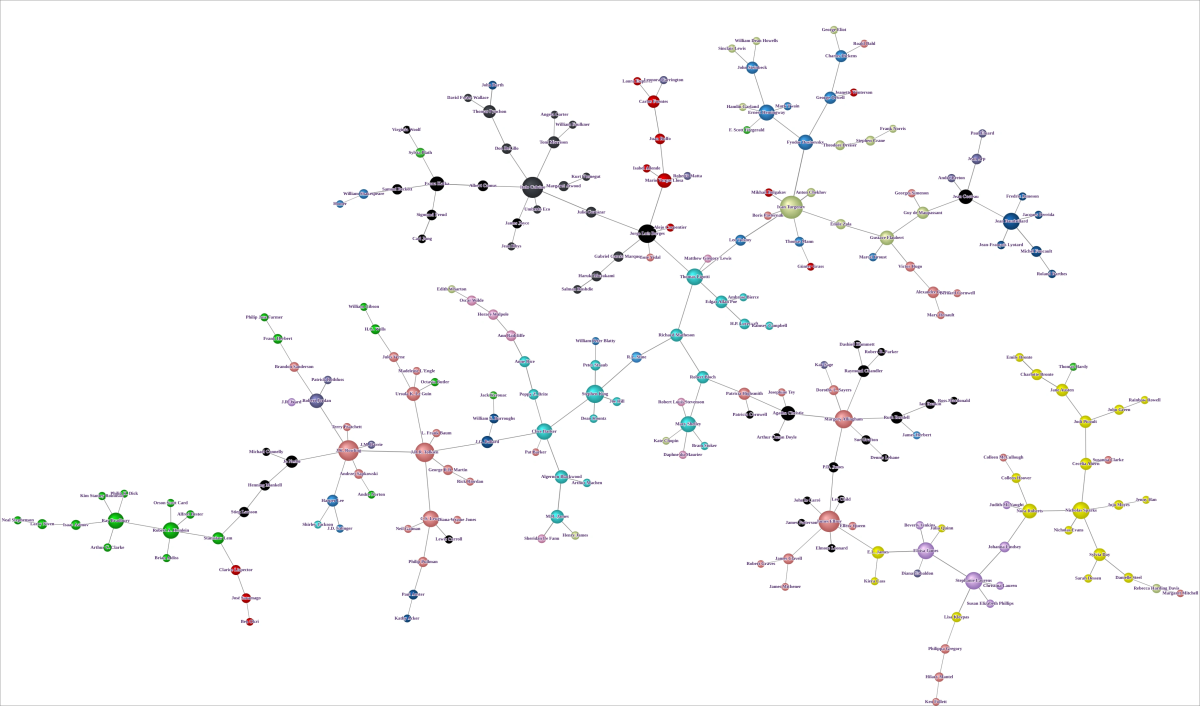
This example uses Hellixia to create a semantic network of writers and literary styles. The workflow starts from a literary style, elicits related styles and representative authors, then learns a semantic network that can be inspected in BayesiaLab.
Workflow for Creating the Semantic Network
Create the node .
Use the Dimension Elicitor with “Competitors” as the guiding keyword, setting the General Context to “Literature Style”, to discover other literary styles.
Inspect the dimensions Hellixia generates and discard any that appear irrelevant or extraneous to the analysis.
Select all nodes.
Run the Dimension Elicitor again using “Members” as the keyword and “Influential Writers” as the General Context. This process aims to discover influential writers for each style, focusing on Node Comments as the Main Subject of the Query. Set the Responses per Keyword parameter to 20 to get a wide range of results.
Inspect the resulting dimensions from Hellixia and remove any that appear irrelevant or superfluous.
Repeat the last two steps with the Node Names and Comments as Main Subject of the Query. This will enable the discovery of additional writers.
Use the Maximum Weight Spanning Tree algorithm to create a semantic network.
Change node styles to Badges to display each node’s comment.
Apply the Dynamic Grid Layout for positioning the nodes on the graph. This algorithm is not deterministic and favors vertical, horizontal, or mixed orientations randomly. Running this layout multiple times might be necessary until you achieve an arrangement that suits the intended presentation.
Switch to Validation Mode F5 and activate Skeleton View. As the network does not represent causal relations, the Skeleton View will only show the connections between nodes without indicating a direction.
Workflow for Node Force Analysis
Return to Modeling Mode F4 and alter the node styles to Discs.
Use the Symmetric Layout and switch to Validation Mode F5 to run a Node Force analysis.
Workflow for Creating a Distance Mapping
Delete all Arcs. This can be helpful for achieving a cleaner graph layout.
Use the Distance Mapping algorithm based on Mutual Information. This algorithm creates a 2D layout where the nodes’ distances are proportional to the semantic proximity between the nodes (considering both names and comments).