
Edit Structural Priors
Selecting Edit Structural Priors from the network contextual menu opens the Structural Priors Editor, which allows you to manage Structural Priors at the arc level. Structural Priors let you incorporate expert knowledge into the learning process before machine-learning a network structure from data, defined “more locally” than what is possible with Local Structural Coefficients, which operate at the node level.
The same editor is also available from BayesiaLab’s Menus via Edit > Edit Structural Priors.
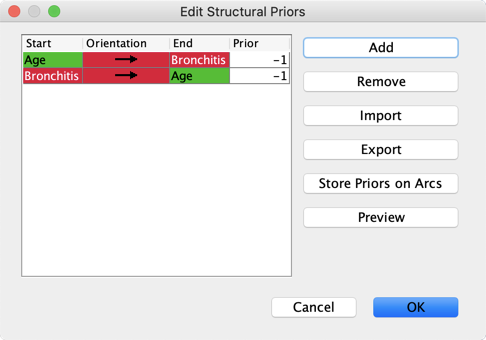
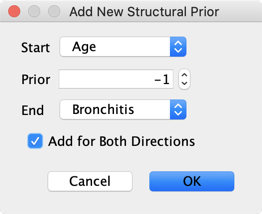
To add a Structural Prior, click the Add button, specify the Start node, the End node, and the value of the Prior. The values of Structural Priors can range between -1.0 and 1.0, where -1.0 strongly increases the cost of adding an arc, and 1.0 strongly reduces it. However, -1.0 is not the same as forbidding the arc in the Forbidden Arc Editor: if the data suggests a strong relationship between the relevant nodes, an arc can still be added between them. Also, +1.0 does not mean forcing the arc; if the data suggests that the relationship between nodes is weak, no arc will be added. Additionally, you can check the box Add for Both Directions to apply the same Structural Prior value for both arc directions.
Clicking the Store Priors on Arcs button adds the value of the Structural Prior as an Arc Comment, and clicking the Preview button generates a visualization of the Structural Priors you have defined, with link thickness proportional to the absolute value of each prior. For the full description of the editor, see Edit > Edit Structural Priors.