
Network
Overview
The screenshots show an earlier version of the menu.
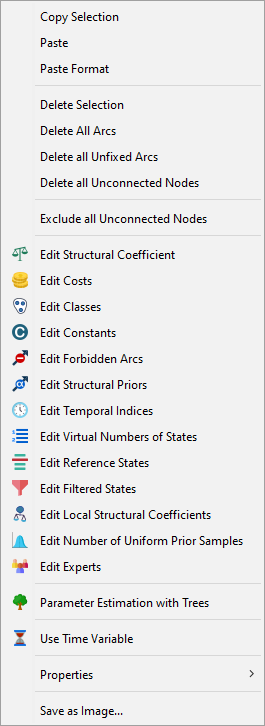
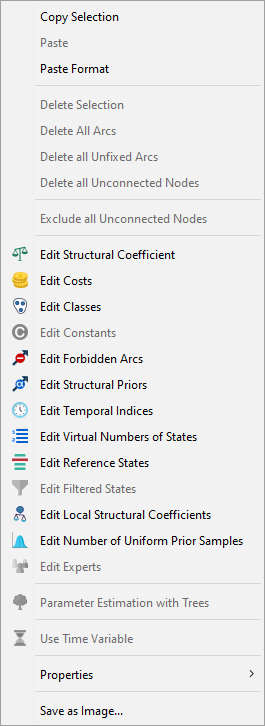
Graph Panel contextual menu items in detail
-
Copy Selection (any mode): copies all selected arcs and nodes.
-
Paste (Modeling Mode): pastes copied arcs and nodes in the network, renaming nodes if needed.
-
Delete Selection (Modeling Mode): deletes all the selected arcs and nodes.
-
Delete All Arcs (Modeling Mode): deletes all arcs to create an unconnected network.
-
Delete All Unfixed Arcs (Modeling Mode): deletes all the arcs that are not fixed.
-
Delete All Unconnected Nodes (Modeling Mode): deletes all nodes without any arcs.
-
Delete All Virtually Unconnected Nodes (KL Force) (Modeling Mode): deletes all nodes without any arcs, but only if Arc Force analysis has been performed and Arc Force Trim has been used in Validation Mode
 .
-
 Edit Structural Coefficient (any mode): opens the dialog box for modifying the Structural Coefficient, the structural complexity influence coefficient used for learning.
-
 Edit Costs (any mode): opens the dialog box to associate a cost with observing a variable (see Cost Management).
-
 Edit Classes (any mode): opens the dialog box to create and edit Classes associated with nodes (see Classes Management). See also the Edit menu command.
-
 Edit Constants (Modeling Mode): opens the dialog box to create and edit constants used in formulas that describe probability distributions (see Constants Management).
-
 Edit Forbidden Arcs (Modeling Mode): opens the dialog box to create forbidden arcs in the network structure (see Forbidden Arcs Management).
-
 Edit Temporal Indices (any mode): opens the dialog box to edit temporal indices associated with nodes for learning. See also the Edit menu command.
-
 Edit Virtual Number of States (Modeling Mode): opens the dialog box to edit state virtual numbers associated with nodes and used for learning.
-
 Edit Local Structural Coefficients (Modeling Mode): opens the dialog box to edit local structural coefficients for each node. This coefficient is used for structural learning.
-
 SMEs & BEKEE Session Manager (Modeling Mode): opens the manager for declaring the network’s subject matter experts and running BEKEE assessment sessions.
-
 Use Time Variable (Modeling Mode): allows using the parameter variable that represents time in equations.
-
Properties includes these commands.
- Comment allows adding a comment to the network. A default comment with the date and author name is added when a network is created. The comment is displayed when pressing
 while pointing to the background of the graph panel.
- Node Indicators opens the node indicator settings.
- Rendering Properties includes the background image controls.
- Comment allows adding a comment to the network. A default comment with the date and author name is added when a network is created. The comment is displayed when pressing