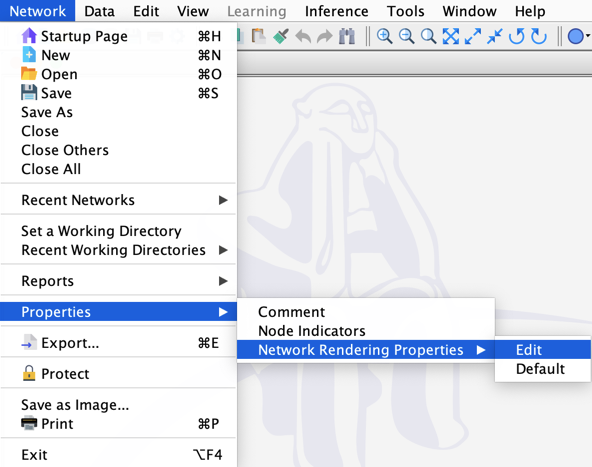
Edit All
Choose Edit All to configure the network’s rendering settings together, including Background Color, Background Image, Link Background Image, Show Background Image, Show Grid, and Grid Spacing.
Usage
Open the rendering properties editor from either menu.
- From the Network Contextual Menu, choose Properties > Rendering Properties > Edit All.
- From the Menus, choose Network > Properties > Network Rendering Properties > Edit All.