Text File
Overview
Associating a text file as a data source maps the variables in the file to the nodes of an existing Bayesian network through the Data Association Wizard. This workflow is very similar to the Data Import Wizard, which loads data to create a new network from the variables in the dataset. The difference is that the Data Association Wizard associates the variables in the dataset with nodes in a network that already exists.
Usage
If you have a network open, start the Data Association Wizard for the current network by selecting Data > Associate Data Source > Text File from the Menus. You can also click the corresponding icon on the Menu Bar, or drag a file from your Finder/Explorer and drop it on the network’s Graph Panel.
Definition of Variable Types
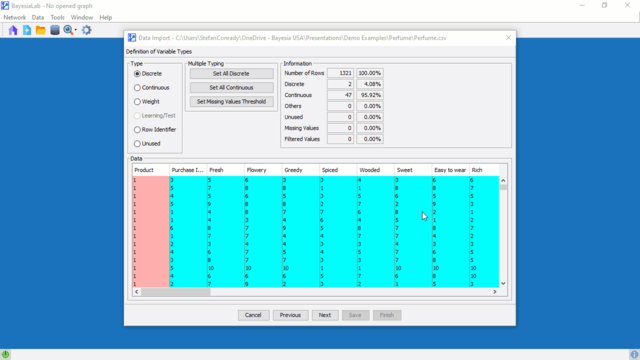
The Definition of Variable Types is the second step of the Data Association Wizard. The order of the Types buttons reflects typical usage. Selecting the Unused type for a variable simply excludes that variable from being used during the association process, so it is not imported.
Discretization and Aggregation
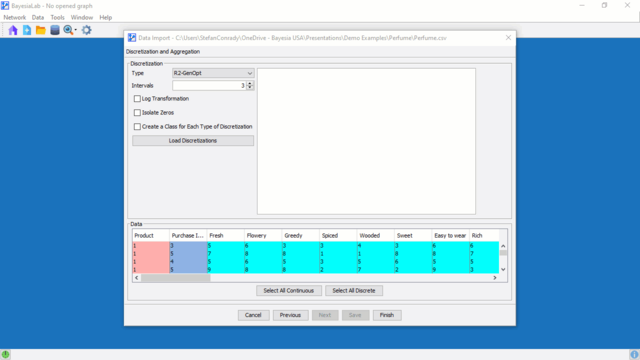
Clicking the Select All Continuous button selects all continuous variables (highlighted in cyan) except those that have already been discretized manually (highlighted in light blue).