
Edit
Context
The Edit menu contains an extensive set of functions related to editing and modifying Bayesian networks. Many of the features of the Edit menu are also available in the Node Contextual Menu.
Usage
Go to Menus > Edit > ... and select one of the functions listed below under Function Overview. Depending on whether you are in Modeling Mode F4 or Validation Mode F5, a different set of functions is available.
Function Overview
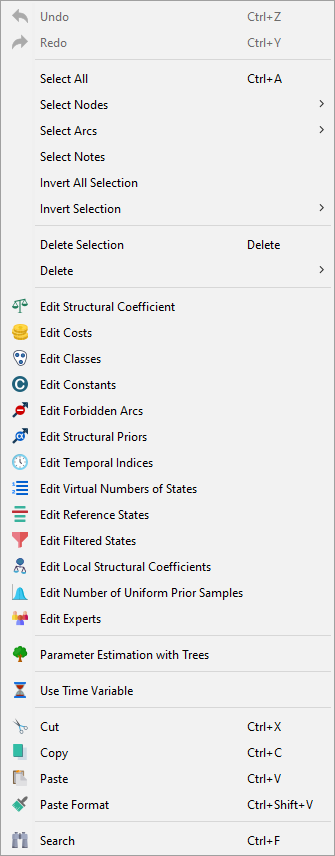
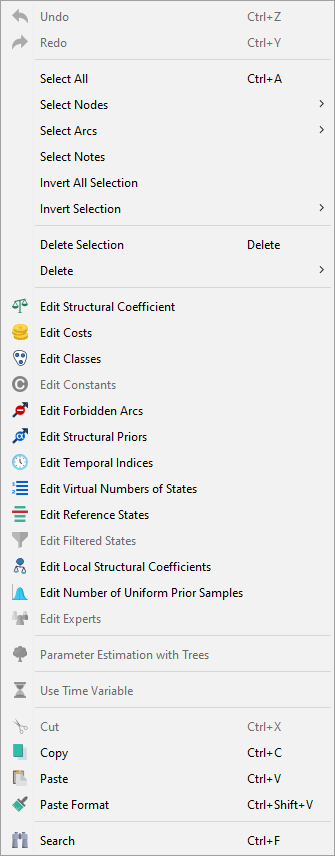
Functions in Detail
| Icon | Function |
|---|---|
| Undo | |
| Redo | |
| Select All | |
| Select Nodes | |
| Select Arcs | |
| Select Notes | |
| Invert All Selection | |
| Invert Selection | |
| Delete Selection | |
| Delete | |
| Edit Structural Coefficient | |
| Edit Costs | |
| Edit Classes | |
| Edit Constants | |
| Edit Forbidden Arcs | |
| Edit Structural Priors | |
| Edit Temporal Indices | |
| Edit Virtual Number of States | |
| Edit Reference States | |
| Edit Filtered States | |
| Edit Local Structural Coefficients | |
| Edit Number of Uniform Prior Samples | |
| Edit Experts | |
| Edit Parameter Estimation with Trees | |
| Use Time Variable | |
| Search | |
| Cut | |
| Copy | |
| Paste | |
| Paste Format |