
Network
Context
The Network menu includes standard functions related to:
- Creating new files
- Opening and closing files
- Generating reports with network statistics
Startup Page
Clicking the Startup Page menu item brings up a window featuring 12 quick-access cards.
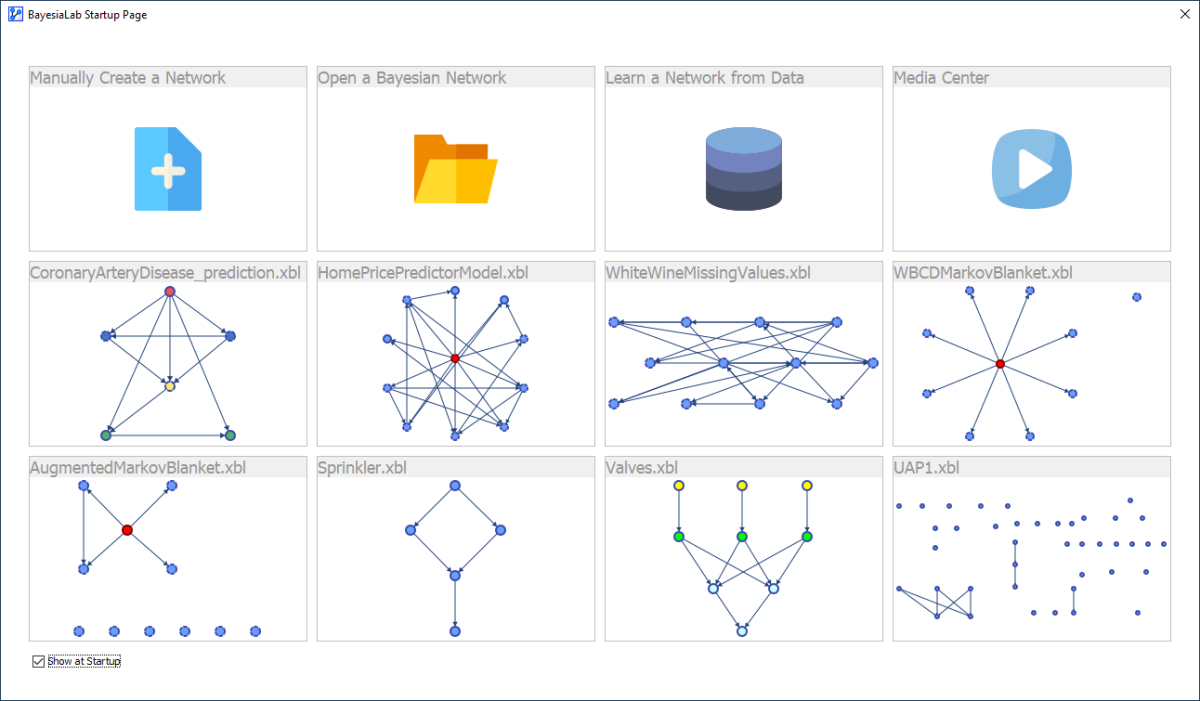
The top row features some of the most common user actions after starting BayesiaLab:
- Manually Create a Network
- Open a Bayesian Network
- Learn a Network from Data
- Open the Media Center
The bottom two rows of cards show the most recently opened files with a network preview.
By default, the Startup screen is displayed right after launching BayesiaLab. Use the checkbox to disable its automatic display.