
Monitor Panel
Context
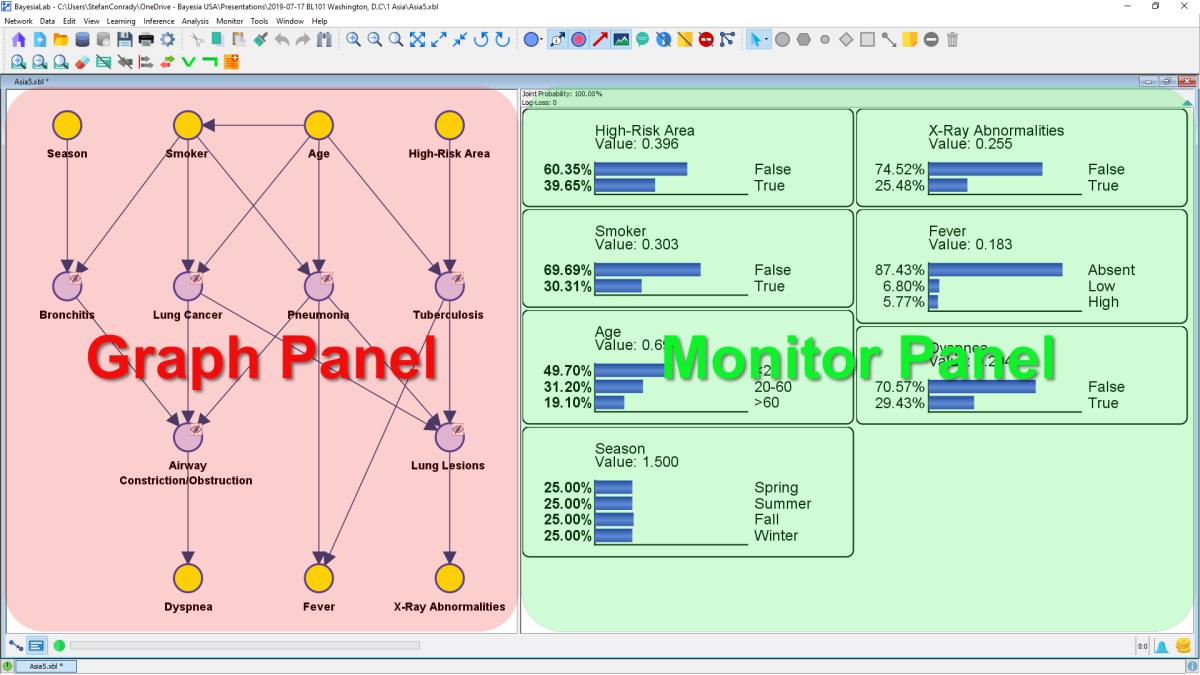
In Validation Mode F5, there are two panels inside the Graph Window:
- Graph Panel (left)
- Monitor Panel (right), which we explain in this section.
The Monitor Panel can display Monitors, which track the distributions of the corresponding nodes.
Using the Monitor Panel
The principal way of using the Monitor Panel is via its contextual menus. There are two separate contextual menus available, which offer distinct sets of options. While both are accessible by right-clicking, the cursor position determines which menu opens.
Monitor Panel Contextual Menu
Right-clicking on the background of the Monitor Panel brings up the Monitor Panel Contextual Menu.
Monitor Contextual Menu
Right-clicking on a Monitor opens the Monitor Contextual Menu. The difference in accessing these contextual menus is illustrated in the following animation: