
Values
This panel allows you to manage the values associated with the node’s states. You can associate a numerical value with each state of the node. These values allow you to compute an expected numerical value, even if the nodes are purely symbolic. It is not necessary to assign values to all states. States without an associated value are excluded from the calculation of the expected value.
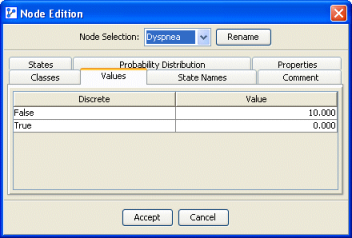
A typical example for assigning values would be ordinal states generated from survey responses. For instance, the survey response “Under 18” could be assigned a value based on domain knowledge. If the survey was only given to 16- to 18-year-olds, and assuming a fairly uniform distribution of age, one might assign a value of 17 to the “Under 18” state.
If the node is continuous and has associated data, a button Generate Values is displayed at the bottom, which prompts you to compute the values associated with the states of the dataset automatically. Any weights assigned to the dataset are taken into account in this calculation.