
Classes
This panel lets you manage the classes associated with the node. A class is a set of nodes in a network with an associated name. Classes let you group nodes with common properties and manage those properties globally. A node can belong to several classes at the same time.
You can add and remove classes via the selected node’s contextual menu:
Properties > Classes > Add.Properties > Classes > Remove.
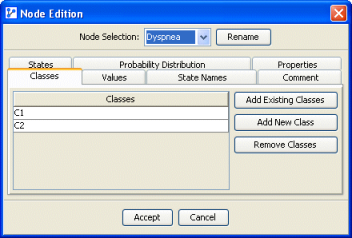
The left list contains the classes to which the node belongs. The buttons let you add an existing class, add a new class, or delete the selected classes.
Classes can also be managed with the Class Editor. To learn more about all aspects of Classes, see Class Management.