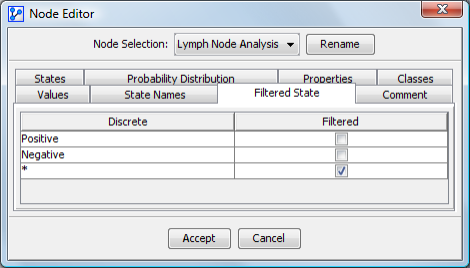
Filtered State
Properties > Filtered State allows you to specify a filtered state from among the existing states of the selected node. Only one filtered state is allowed per variable, whether continuous or discrete. The filtered state represents cases where the variable does not have a real existence, such as an analysis based on the positive result of a test.
A node can only have one Filtered State.
We use “Filtered Value” and “Filtered State” interchangeably.
For example, a filtered state can be used to analyze scenarios where specific conditions, such as a positive test result, drive the analysis.