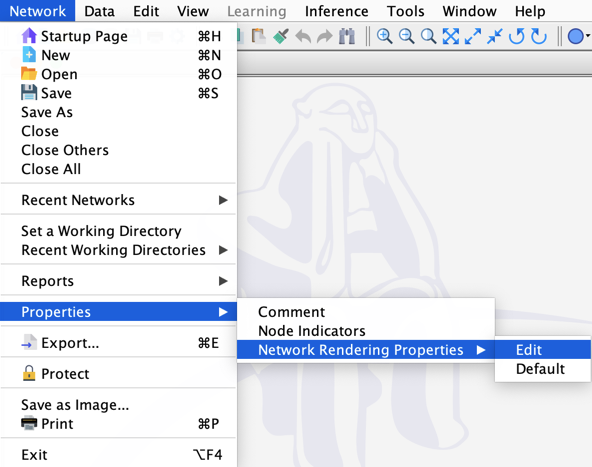
Network Rendering Properties
Overview
The Rendering Properties Editor lets you edit the following Rendering Properties of a network:
Background Colordefines the color of the Graph Panel background.Background Imageassociates an image file with your network.Link Background Imageties the zoom level of the image to the zoom level of the network. This is particularly helpful when features of the image relate to the position of the nodes in the network. With linked Background Images, using a vector image format is recommended.Show Background Imagedisplays, by default, the Bayesia logo as a watermark in the background of the Graph Panel unless you define your own Background Image.Show Gridreveals a grid on the Graph Panel. If you create nodes or move them, they snap to the closest grid intersection, unless you hold the Shift key.Grid Spacingdefines the distance of the grid lines.
Usage
There are two ways to access the Rendering Properties Editor:
- From the Graph contextual menu, select
Properties > Rendering Properties, or - From the Menus, select
Network > Properties > Network Rendering Properties.