Edit All
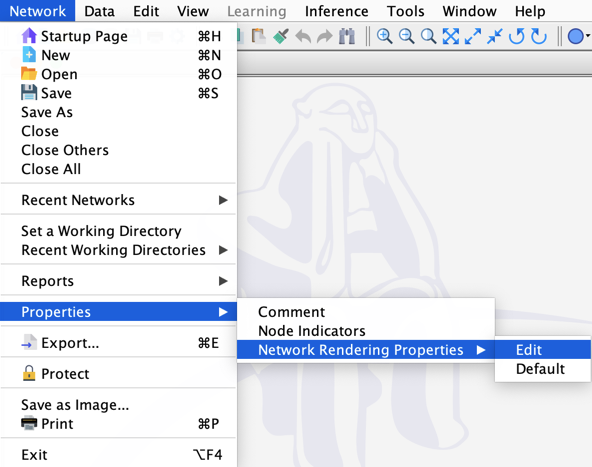
Opening the Rendering Properties Editor lets you edit all Rendering Properties of a network together, including the Background Color, Background Image, Link Background Image, Show Background Image, Show Grid, and Grid Spacing.
Usage
There are two ways to access the Rendering Properties Editor:
- From the Graph contextual menu, select
Properties > Rendering Properties, or - From the Menus, select
Network > Properties > Network Rendering Properties.