Create a New Class
Context
Similar to creating a new Class from the Node Contextual Menu (see Add Class), you can also create a new Class via the Class Editor.
Usage
There are multiple paths to access Create a New Class:
- Select
Menus > Edit > Edit Classes > Create New Class. - Select
Graph Panel Contextual Menu > Edit Classes > Create a New Class. - Click the
Classesicon in the Status Bar to bring up the Class Editor, then clickCreate a New Class.
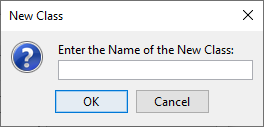
A new window opens where you specify the new Class Name.