
Hard Evidence
Context
Hard Evidence refers to setting a particular state in a node to a 100% probability. This implies that all other states of the same node must be at a 0% probability, as the probabilities of all states in a node must sum to 100%.
Usage
There are two ways to set Hard Evidence:
- Double-click the probability bar of the state you wish to set to 100%.
- Right-click the Monitor to bring up the Monitor Contextual Menu, then select
Hard Evidence.
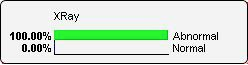
Upon setting Hard Evidence on a state, the corresponding bar appears in green with a 100% probability, and the observed node takes the green color of the evidence.
Example
To illustrate, we focus on a small subset of nodes, namely PG (Procter & Gamble), JNJ (Johnson & Johnson), and KMB (Kimberly-Clark), and bring up their Monitors. Prior to setting any evidence, the Monitors show the marginal distributions, with an expected return (mean) of 0.
We double-click the state >0.012 to compute the posterior probabilities of PG and KMB given this evidence. The gray arrows indicate how the distributions have changed compared to before, prior to setting evidence. Given the evidence, the expected values of PG and KMB are now 1.2% and 0.6%, respectively.

If we also set KMB to its highest state (>0.012), this further reduces the uncertainty of PG and computes an expected value of 1.8%. This means that PG had an average daily return of 1.8% on days when this evidence was observed.
