Search (9.0)
Overview & Context
- With Search, you can quickly find nodes, node comments, classes, arcs, monitors, and BayesiaLab features and functions.
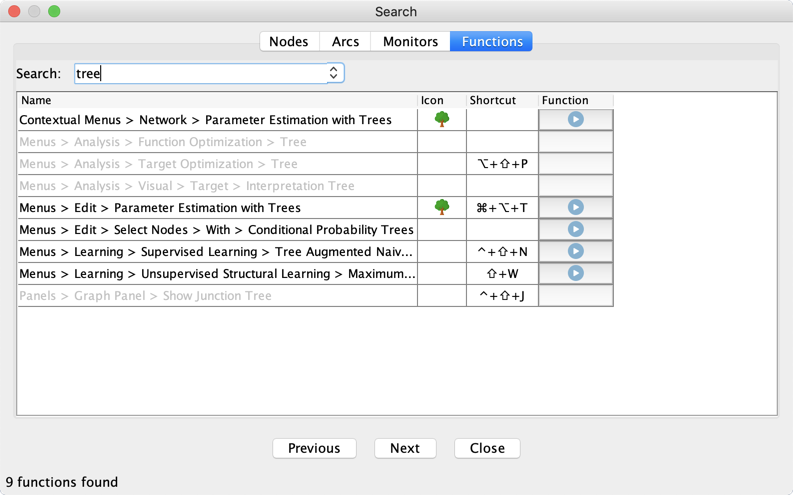
- You can start many of BayesiaLab's functions from within the Functions tab in Search by clicking the run icon in the Function column.
New Feature: Shortcut
- In BayesiaLab 9, Search also returns the shortcut of a found Function, if one is specified.
Renamed Feature: Functions
- What is now labeled Function in the Search results table, was previously named Actions in BayesiaLab 8.
History
- Search was previously updated in BayesiaLab 5.0.7, 5.2, 5.3, and 8.0.
Usage
-
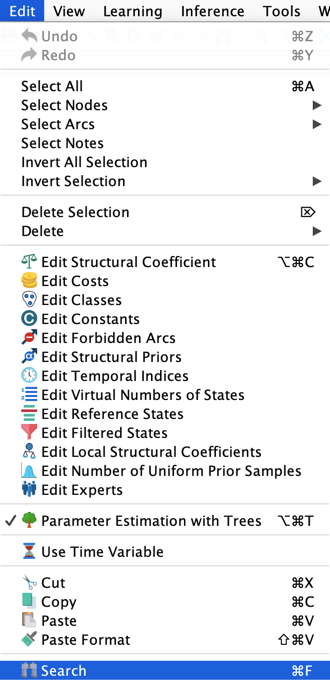
To start Search, select Edit > Search.
-
Alternatively, click the binoculars button on the Menu Bar.
-
The common shortcut Ctrl+F or Cmd+F will also start Search.