Causal Relationship Finder
Overview
The Causal Relationship Finder is one of Hellixia’s causal analysis tools for discovering and adding causal links among a set of selected nodes. It is especially useful when you already have a set of concepts (the nodes) and want to understand how they might influence one another causally.
Because it works on nodes you have already defined rather than generating them from scratch, it is a “finder” rather than a “generator,” alongside the Multi-Engine Causal Relationship Finder. It is also the most general of Hellixia’s causal tools, analyzing multiple nodes at once, in contrast to the Pairwise Causal Link feature, which examines only one candidate relationship at a time.
How It Works
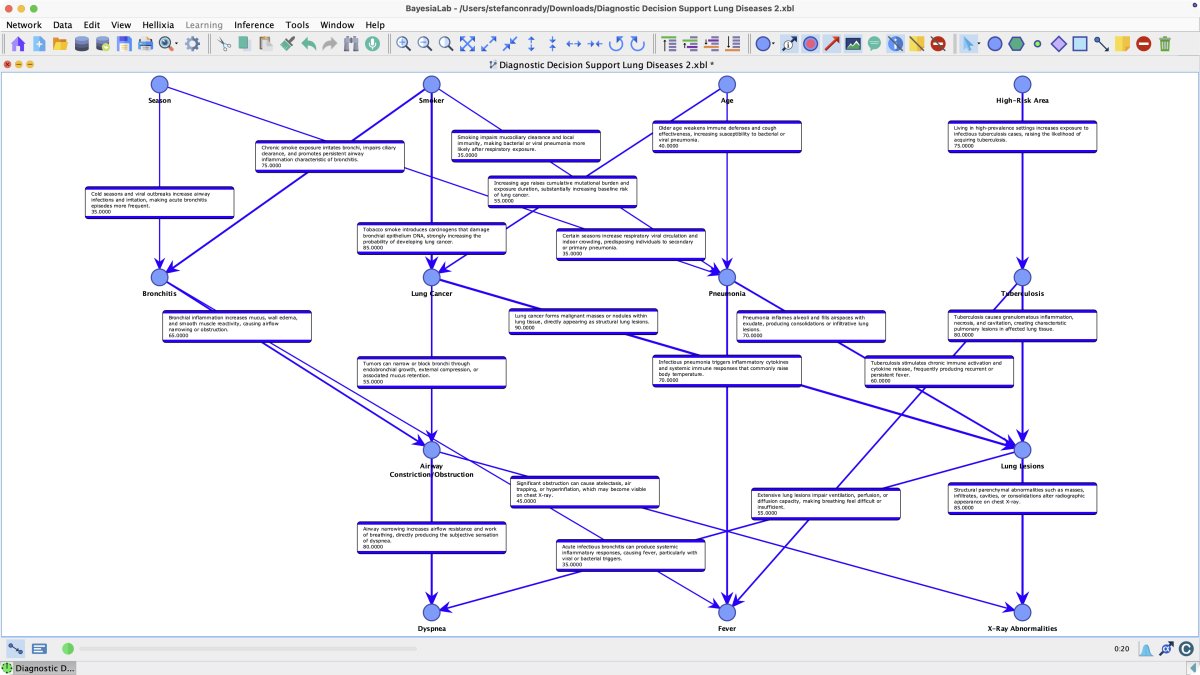
Before detecting relationships, the Causal Relationship Finder first creates a Comment describing each selected node that does not already have one. This comment serves as a textual description of the node, grounding the subsequent causal reasoning and giving the LLM sufficient context to reason about each entity. The tool then evaluates the selected nodes together and determines plausible causal relationships among them.
Usage
The tool can run in two ways:
- Unsupervised mode: It examines all possible causal links among the selected nodes without focusing on any particular outcome, returning the full web of detected cause-and-effect pairs.
- Supervised mode: You specify a Target node, and the finder concentrates on the causal relationships most relevant to that target, effectively identifying its drivers or consequences.
Output Options
The discovered causal relationships can be used in two ways:
-
Added directly to the network: Arcs are drawn on the graph between the appropriate nodes, turning the selection into a directed acyclic graph. The resulting network is a Constraint-Free Propositional Causal Network, i.e., a fully-specified Bayesian network where every node is a Boolean proposition and every arc carries a signed direct effect (positive/promoting in blue, negative/inhibiting in red). The Conditional Probability Tables are written using the
DualNoisyOr()function. -
Exported as Structural Priors: The detected relationships, along with their directions, can be saved as Structural Priors that BayesiaLab’s Machine Learning algorithms use when learning the network from data. This lets you inject domain knowledge into the structure learning process, guiding the algorithm toward causally meaningful arcs. This is the “LLM-Augmented Machine Learning” workflow.
Workflow Example
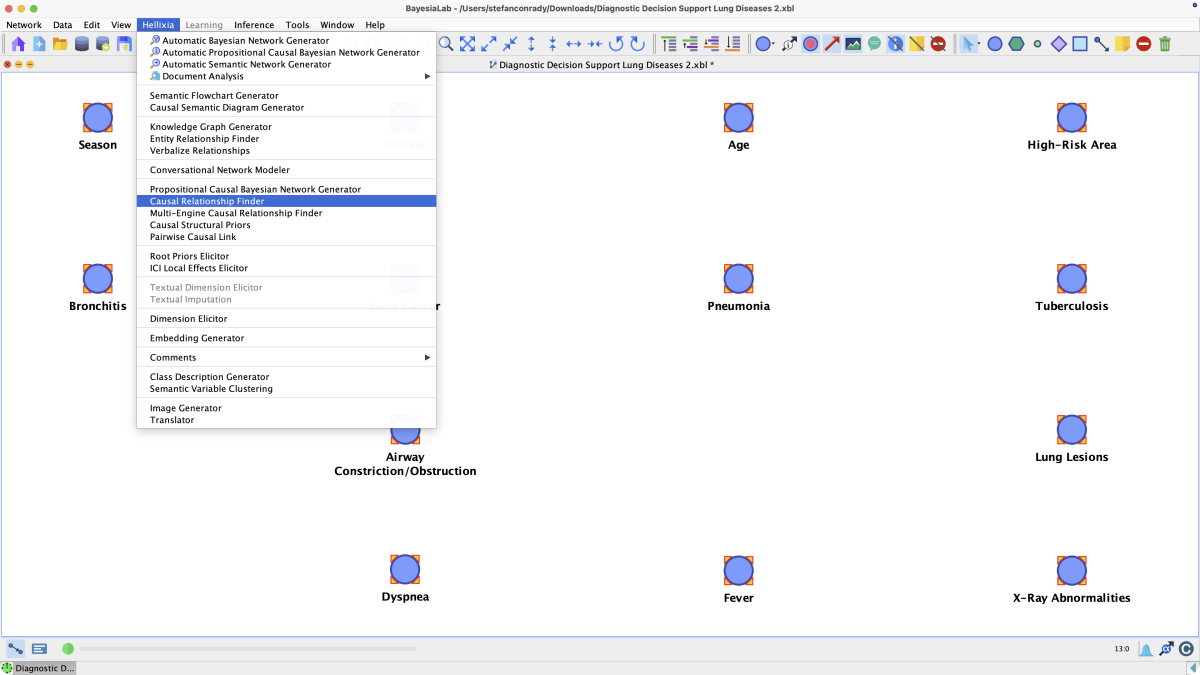
Open Menus > Hellixia > Causal Relationship Finder.
Review the available options and add General Context when the model needs domain-specific guidance.
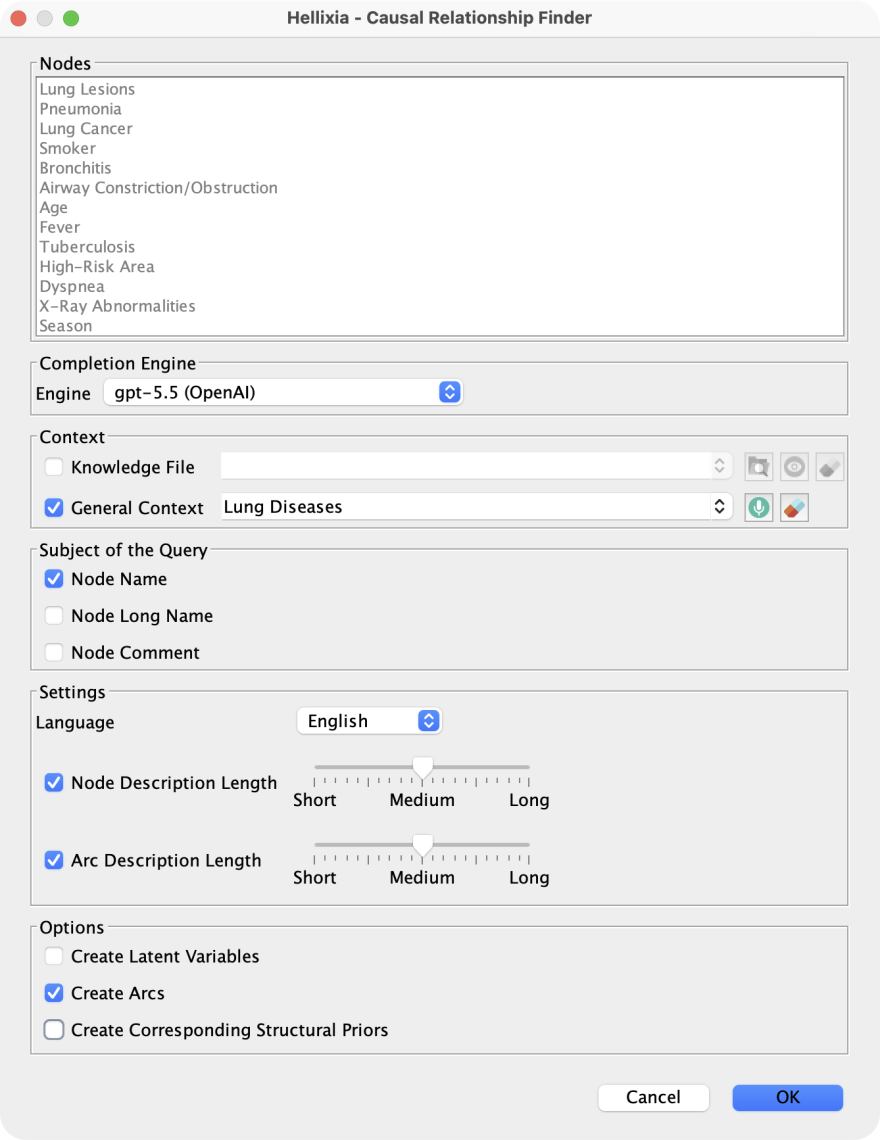
Click OK to start the Causal Relationship Finder.
Upon completion of Hellixia’s queries of the selected LLM, the graph features causal arcs. The strength of the proposed relationship is proportional to the thickness of the respective arc.
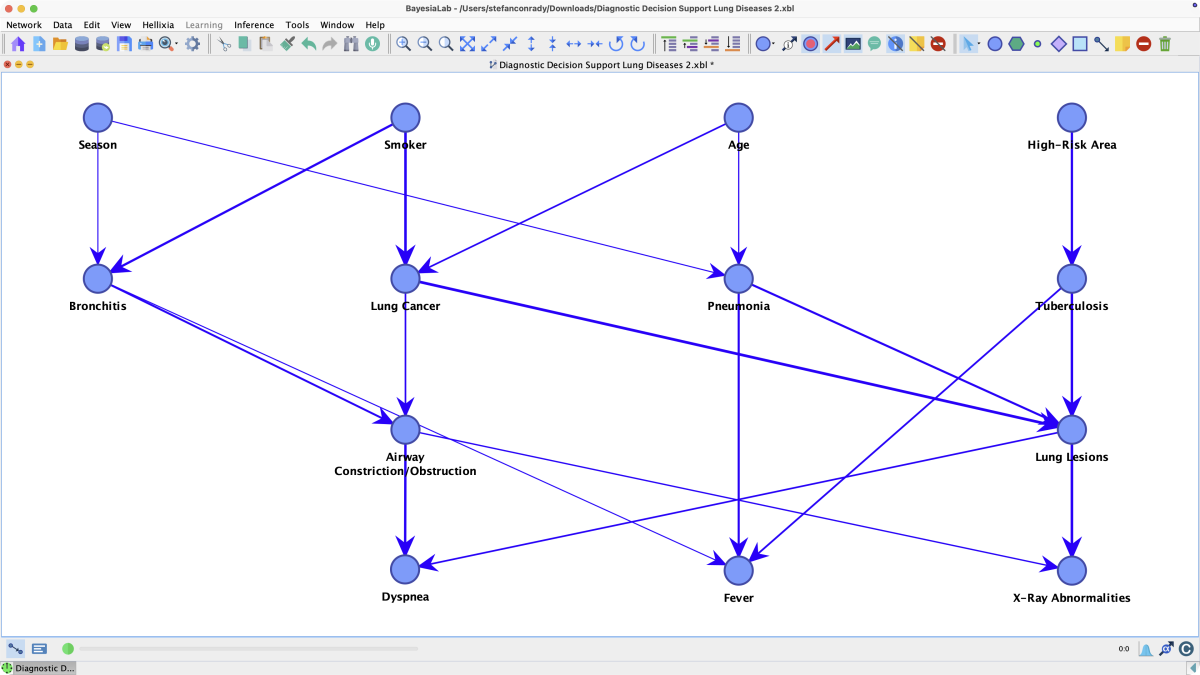
Run the function and inspect the generated graph, comments, priors, embeddings, translations, or images.