Entity Relationship Finder
Overview
The Entity Relationship Finder is a Hellixia feature that detects semantic relationships between a set of nodes, producing a Knowledge Graph.
It classifies the detected links into the seven semantic families, giving the resulting graph a rich, interpretable structure.
Expresses an “is-a” link. For example, a kidney stone is a calculus. It encodes class membership and hierarchy.
Expresses a “part-of” link. For example, a nephron is part of a kidney. It captures meronymy and composition.
Expresses a “has-property” link. For example, urine has the property acidity. It associates entities with their characteristics.
Expresses a “causes” or “influences” link. It is a directed dependency in which one entity influences another.
Expresses a “used-for” or “enables” link. For example, an NSAID is used-for pain relief. It captures purpose and capability.
Expresses an “occurs-before” or “results-in” link. It encodes ordering and sequence in time.
Expresses a “located-in” or “next-to” link. For example, a calculus is located-in the ureter. It captures geometric and topological placement.
Function
The Entity Relationship Finder is one of the two methods to create a Knowledge Graph in Hellixia. It works on entities you supply, rather than generating nodes from scratch.
This contrasts with the Knowledge Graph Generator (Menus > Hellixia > Knowledge Graph Generator), which extracts both nodes and relations entirely from the knowledge encoded in Large Language Models, building a complete graph from scratch.
Example Workflow
To use the Entity Relationship Finder, you need to have a set of nodes with meaningful Node Name, Node Long Name, or Node Comment values. Note that these nodes do not require to have any data associated with them.
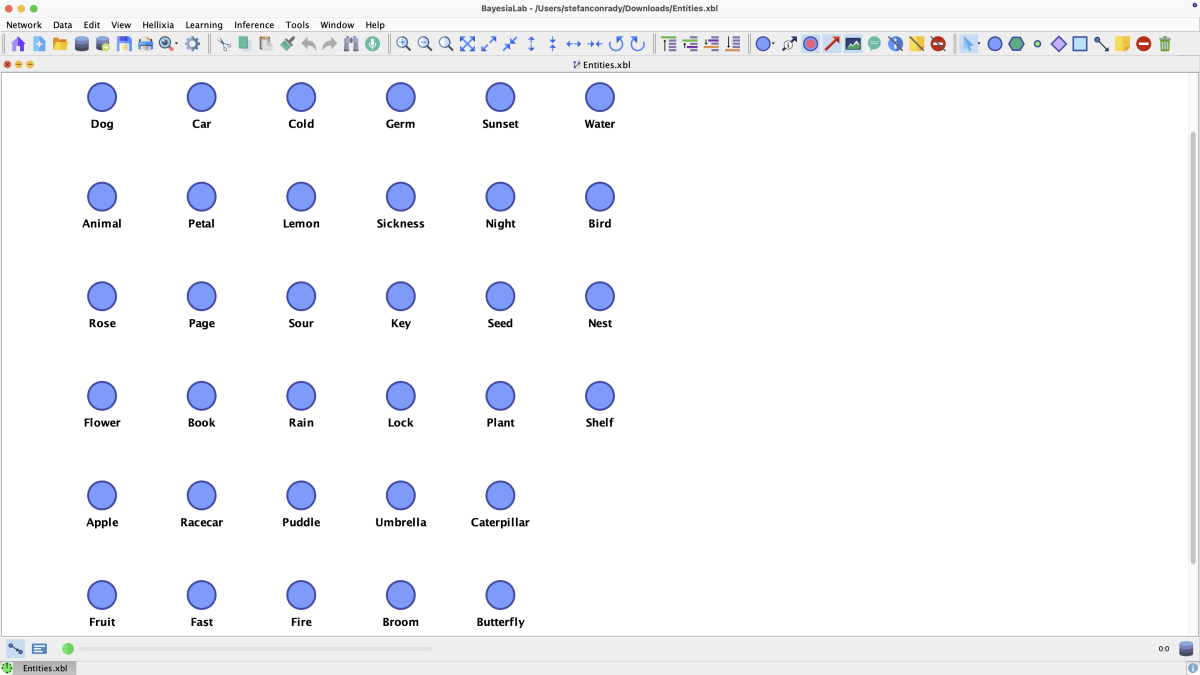
In the following example, we have a number of randomly chosen concepts such as, , , , , , , etc., represented as nodes in the Graph Panel of BayesiaLab. In our case, these nodes only have Node Name values, but no other information available.
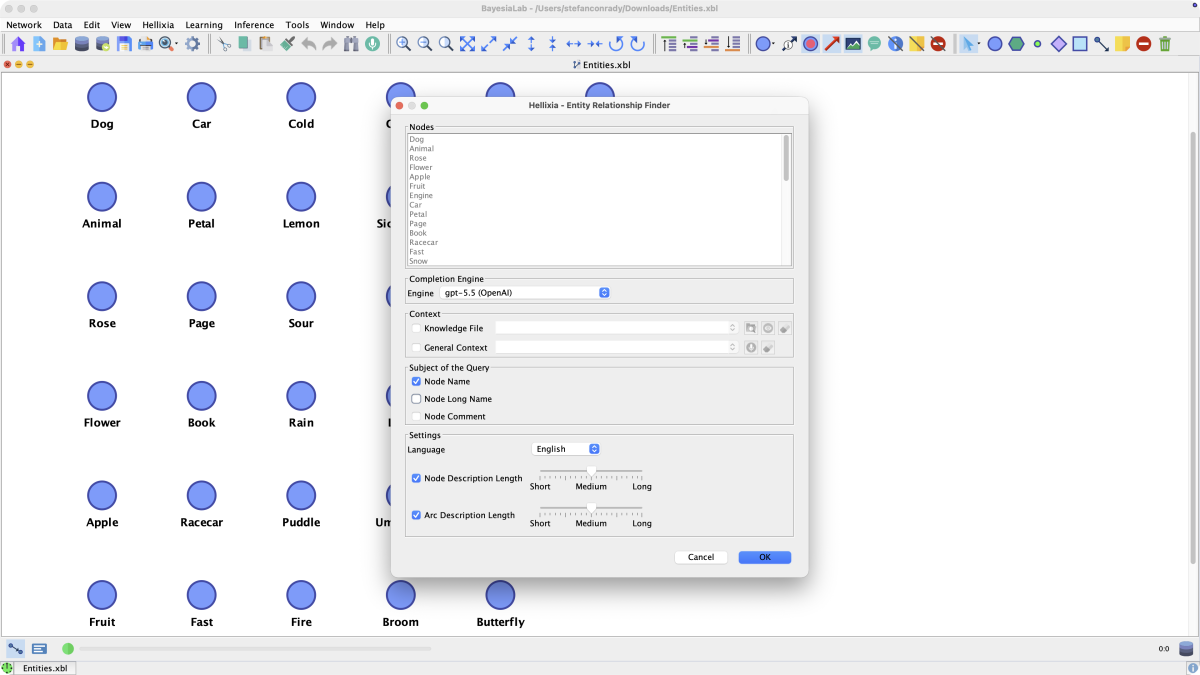
To start the Entity Relationship Finder, select Menus > Hellixia > Entity Relationship Finder.
We can now specify whether to provide any further context in the form of a Knowledge File or a General Context statement.
Furthermore, the Subject of the Query is straightforward to specify, as we only have information contained in the Node Names.
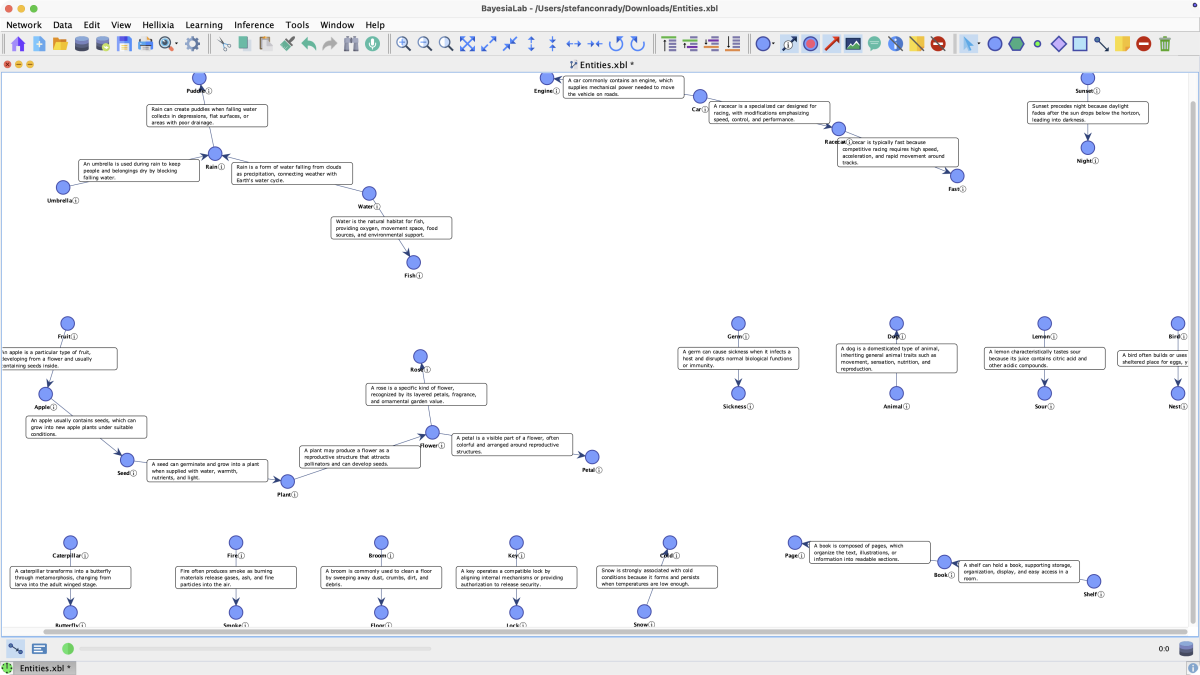
Upon clicking OK, the Entity Relationship Finder starts its LLM queries. After completing the queries, BayesiaLab produces arcs between related concepts and displays the rationale for the relationships.
Clicking the Arc Comments icon shows comments with explanations for each pair of connected nodes.