
Bubble Chart (2+1D)
Context
- The Bubble Chart (2+1D) is an extension of the Scatter of Points (2D).
- The Bubble Chart (2+1D) features an additional dimension, visualized in the form of a bubble. The bubble sizes are proportional to the values of the specified additional dimension.
Usage
- You can access the Bubble Chart (2+1D) function in multiple ways:
Main Menu > Data > Charts > Bubble Chart (2+1D)Node Context Menu > Charts > Bubble Chart (2+1D)
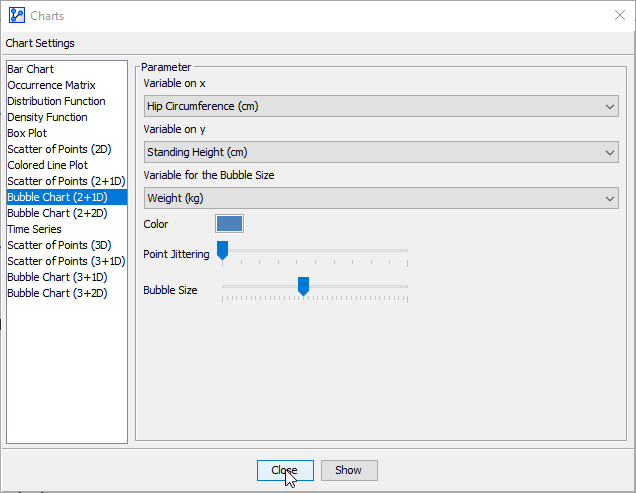
- In the Parameter panel:
- Pick the Variable on x from the dropdown list.
- Pick the Variable on y from the dropdown list.
- Pick the Variable for Bubble Size from the dropdown list.
- If you had nodes selected when you opened the Charts window, the variables in the dropdown menus are restricted to that selection.
- Apply Point Jittering if appropriate:
- The Point Jittering slider allows you to add random noise to the position of each point to reduce overlap when many observations have the same coordinates, which is the case with integer variables, for instance.
- The Point Jittering remains the same at all zoom levels.
- Choose the Bubble Size.
- Click
Show.
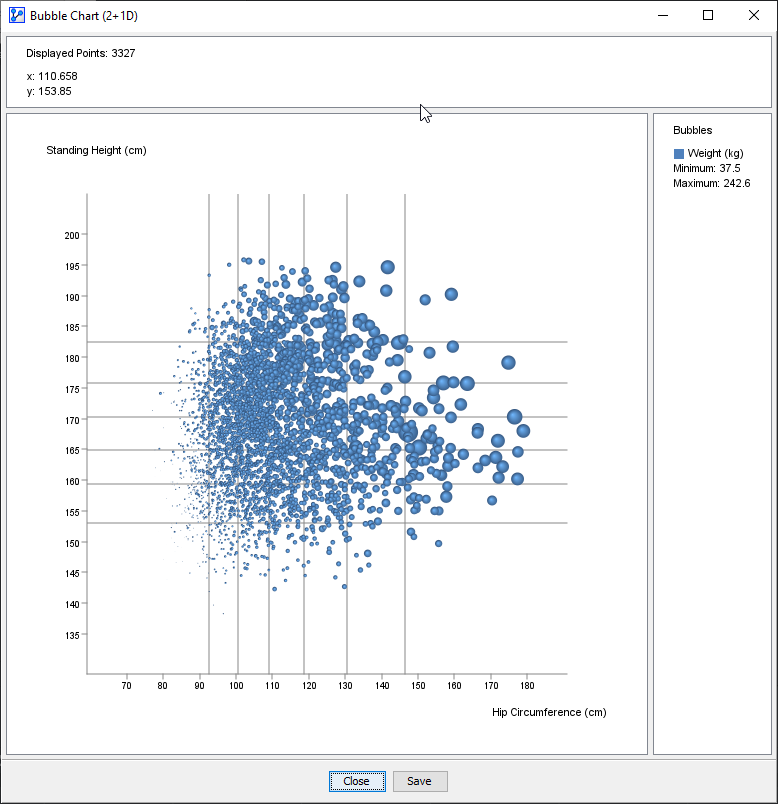
- The horizontal and vertical lines on the plot indicate the thresholds of the intervals for the x and y variables, respectively. In the screenshot below, we see six lines, i.e., six thresholds, which means that the distribution is currently binned into seven intervals. Note that these thresholds are for reference only and cannot be modified here.
- At the top of the chart window, the Information Panel reports the total number of plotted points plus the x and y coordinates of the cursor position.
- To zoom in to the chart, click and hold the left mouse button. Drag the cursor to designate the area to focus on. Then, release the mouse button. Note that the size of the points remains unchanged regardless of the zoom level.
- To revert to the default zoom level, double-click anywhere on the chart.
- If you click on a particular point, a pop-up window shows all the records that match its coordinates.
Demo Files

NHANES_DEMO_BMX.xbl
XBL