
Forbidden Arcs
Context
- In BayesiaLab, you can formally prohibit arcs by defining so-called Forbidden Arcs.
- Defining Forbidden Arcs prevents BayesiaLab’s learning algorithms from adding such arcs to the network during the structural learning process.
Usage
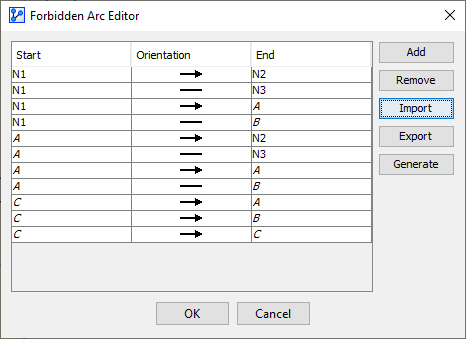
- You can define the Forbidden Arcs in the Forbidden Arc Editor.
- The Forbidden Arc Editor can be accessed in multiple ways:
- Select
Main Menu > Edit > Edit Forbidden Arcs. - Select
Arc Context Menu > Forbidden Arcs. - Click the Forbidden Arc indicator in the Status Bar.
- Select
- The Forbidden Arc Editor features five buttons:
Context Menu — Forbidden Arcs
- In addition to managing Forbidden Arcs via the Forbidden Arc Editor, you can apply constraints ad hoc via the Arc Context Menu:
- Right-click on an arc or a selection of arcs.
- From the Context Menu, select
Forbid, and then choose one of the following:Current DirectionOpposite DirectionBoth Directions