Cluster Interpretation: MAP
Suppose we want to find out the triplets of traits that maximize the a posteriori probability given . We do not have a MAP function implemented in BayesiaLab yet, but we can augment our Bayesian network with Function Nodes  and use the Genetic Function Optimization tool to find our triplets (
Analysis > Function Optimization > Genetic).
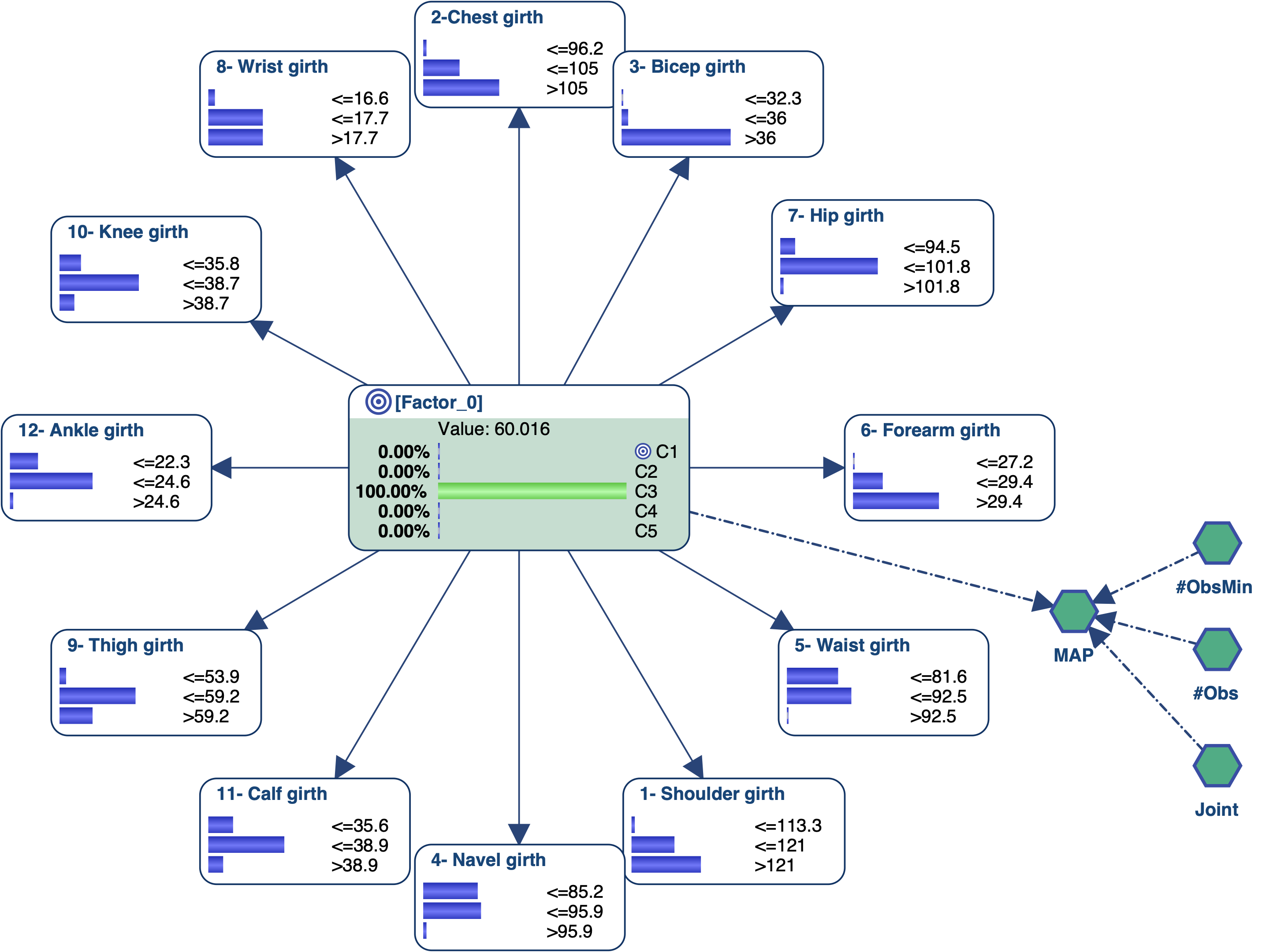
#Obs: the number of hard evidence set in the network. We can get this number with the Inference FunctionObsCount(True, false, false, false).#ObsMin: the minimum number of hard evidence that we set to 4 to search for triplets (i.e., plus the triplets).Joint: the joint probability of the current set of evidence. It is returned by the Inference FunctionJointProb().MAP: the score we want to maximize, defined with the equationif(?#Obs? < ?#ObsMin?, 0, ?Joint?).
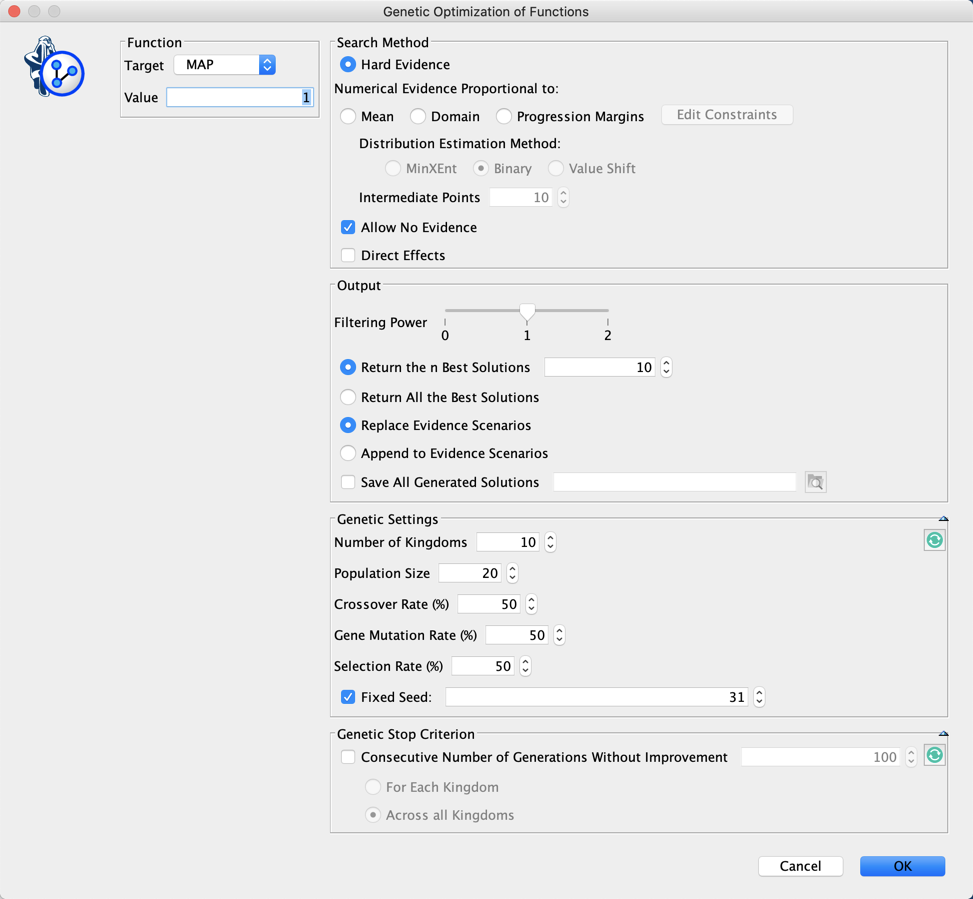
We did not set any stop criterion here. This means that we will need to stop the genetic algorithm by clicking  in the lower-left corner of the graph window.

The current Best Score is shown at the end of the Progress Bar. You can also see which Generation found this score.
You can also see the icon  blinking in the lower-right corner of the Graph Panel. This indicates that there are outputs in the Console. Clicking on this icon opens the Console:
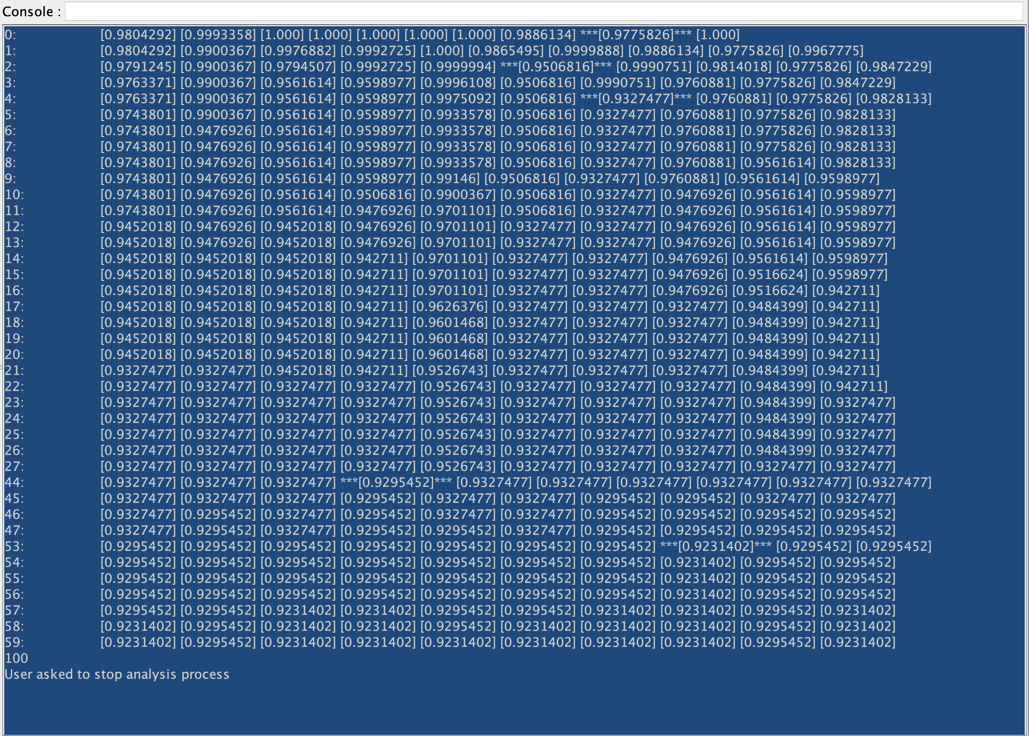
While the first column indicates the generation, the following columns return the score of the current best individual in each kingdom. When a score is framed with ”***”, it indicates that there has been an improvement in this generation.
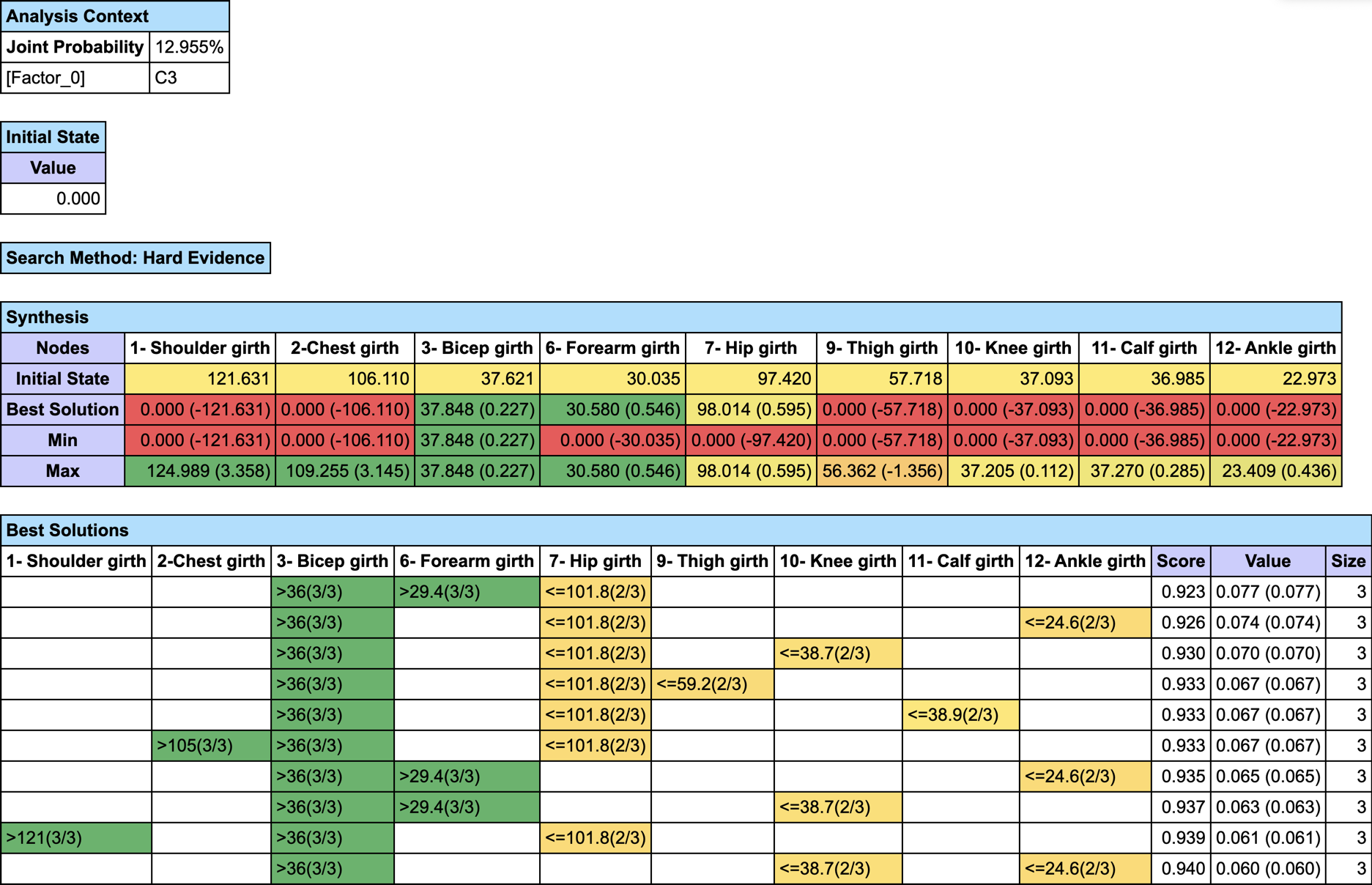
If you want to find out the MAP on a specific subset of nodes, set #ObsMin to 0, and either select the nodes before running the optimization with Restrict Search to the Selected Nodes or set all other nodes as Not Observable.
Here is an image that represents the profile of the men who belong to on the basis of all these analyses: